
Screenshots
App details
- Updated
- Mar 25, 2014
- Language
- English
- Category
- Mobile
SoftPas in:
This product is also available in the following languages:
About Depressurizer
Download Depressurizer – Steam Game Organizer, Library Management, Productivity Tool
Overview
Depressurizer is a specialized mobile application designed to help Steam users manage and organize their extensive game libraries. The app addresses the common challenge of game discovery and library clutter that many gamers face when their Steam collections grow beyond a manageable size. By providing a structured yet flexible system for categorizing titles, Depressurizer simplifies the process of finding and launching games, enhancing the overall gaming experience. Its primary purpose is to serve as a companion tool for Steam users who value organization, efficiency, and personalized access to their digital game collections.
Target users include casual and hardcore gamers alike, especially those with large Steam libraries who struggle to keep track of their games. The app is particularly beneficial for users who enjoy playing games across multiple genres, platforms, or play sessions, as it enables them to group titles by custom criteria such as genre, mood, or even estimated playtime. Real-world use cases include preparing themed gaming nights, tracking progress on specific game series, or identifying underplayed titles in a collection.
Depressurizer was first released on March 25, 2014, and has since remained a niche but effective solution in the gaming productivity space. While the developer did not provide additional technical details, the app’s longevity suggests a stable and functional core. It plays a valuable role in the broader app ecosystem by offering a lightweight, focused tool that complements Steam’s native interface without requiring complex integrations or cloud synchronization.
Key Features & Functionality
Depressurizer delivers a suite of practical features tailored to the needs of Steam users seeking better library control. The app’s core functionality revolves around seamless Steam integration, allowing users to connect their library by inputting the Steam folder location and SteamID. This straightforward setup grants immediate access to all installed games, enabling real-time management without relying on third-party APIs or cloud services.
- Easy Steam Integration: Users can link their Steam library directly by providing basic system-level details, ensuring fast and secure access to their game list.
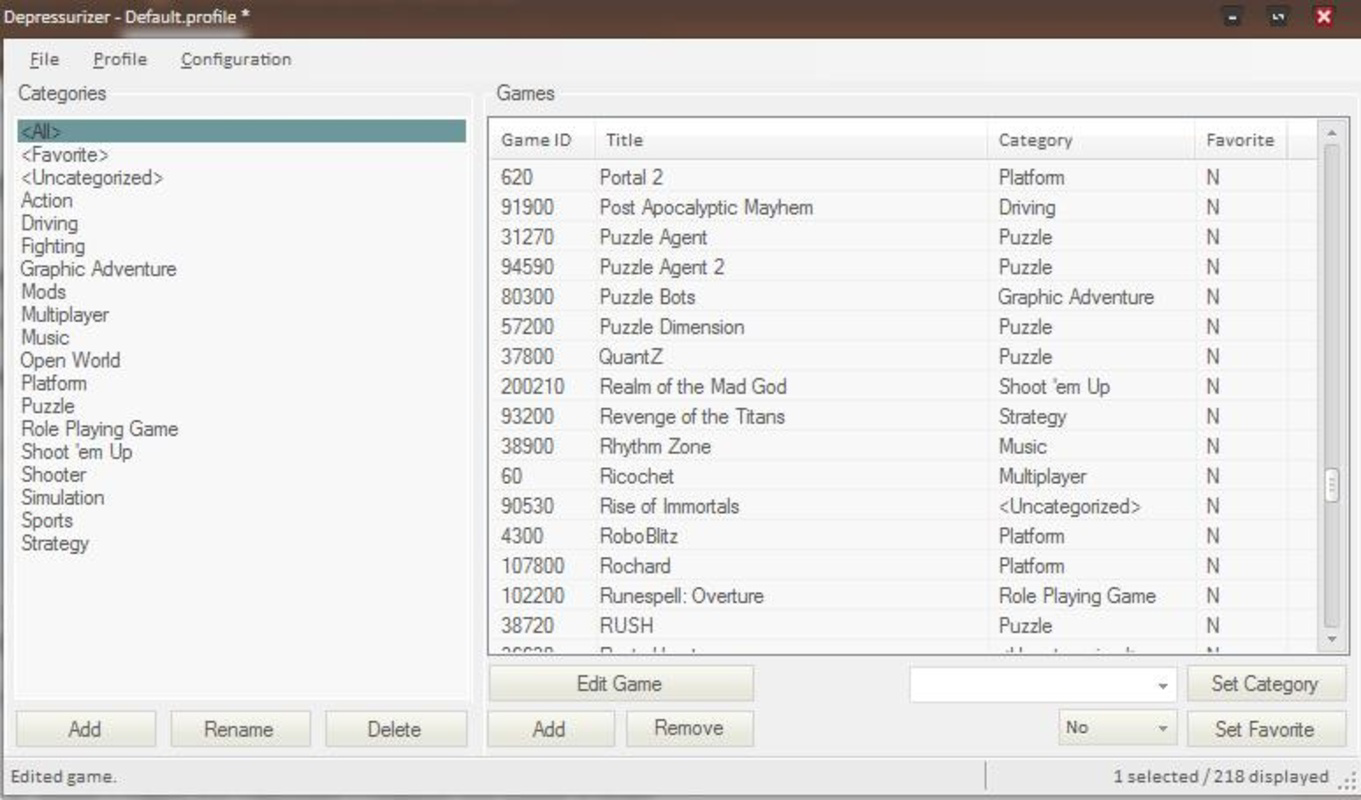
- Customizable Game Categories: The app supports the creation and editing of user-defined categories, allowing for personalization based on genre, mood, platform, or playtime.
- User-Friendly Interface: Designed with simplicity in mind, the interface enables even non-technical users to navigate, sort, and reorganize their games with minimal effort.
- Limitless Organization Options: There are no predefined constraints on how games can be grouped, empowering users to adopt unique organizational systems that match their preferences.
- Enhanced Game Discovery: With categorized views, users can quickly locate games based on specific criteria, reducing decision fatigue and improving session planning.
For example, a user might create a “Retro Classics” category for older titles, a “Games to Finish” list for ongoing playthroughs, or a “Quick Play” group for short sessions. These real-world applications demonstrate how Depressurizer transforms a chaotic library into a curated, accessible experience.
Interface, UX & Performance
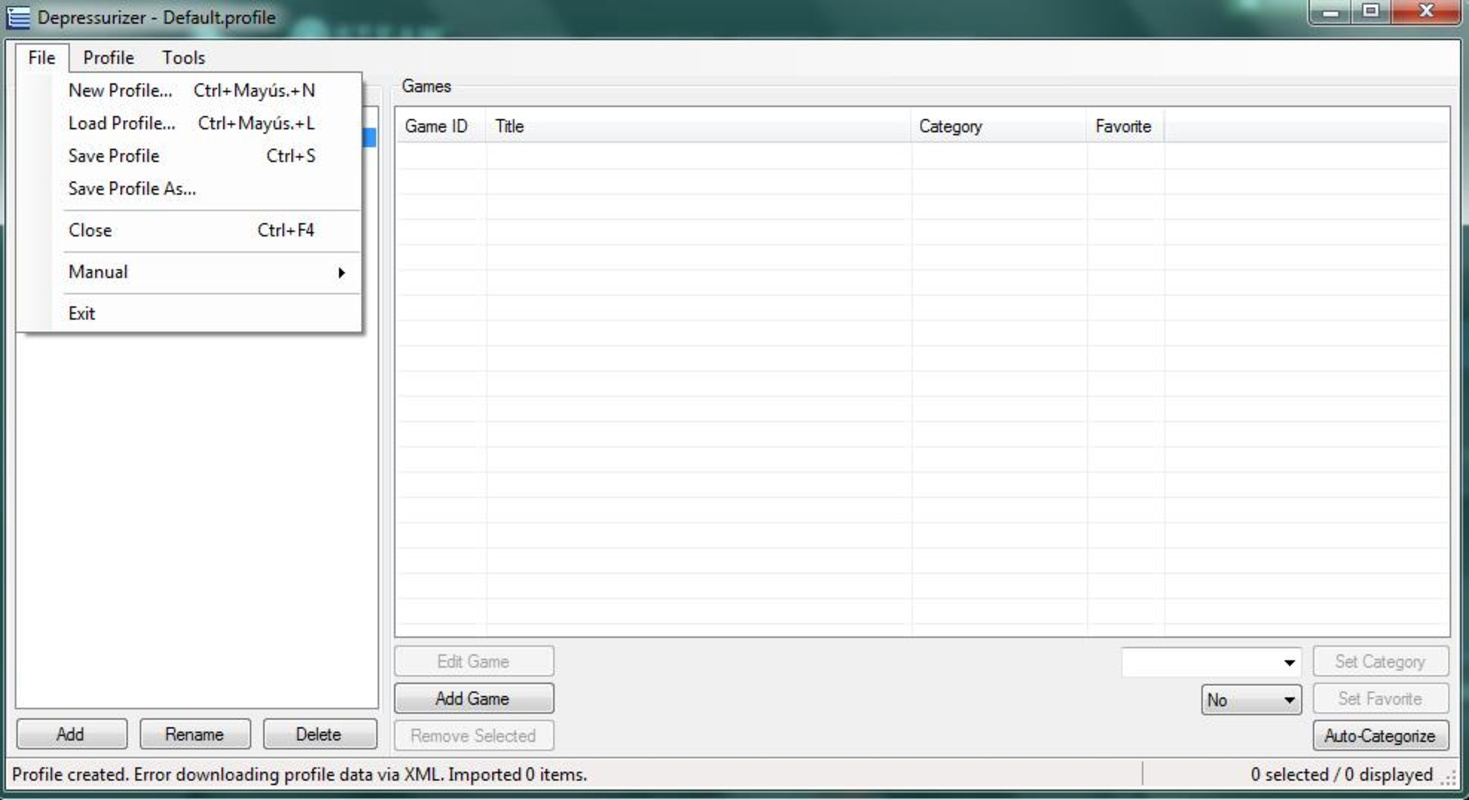
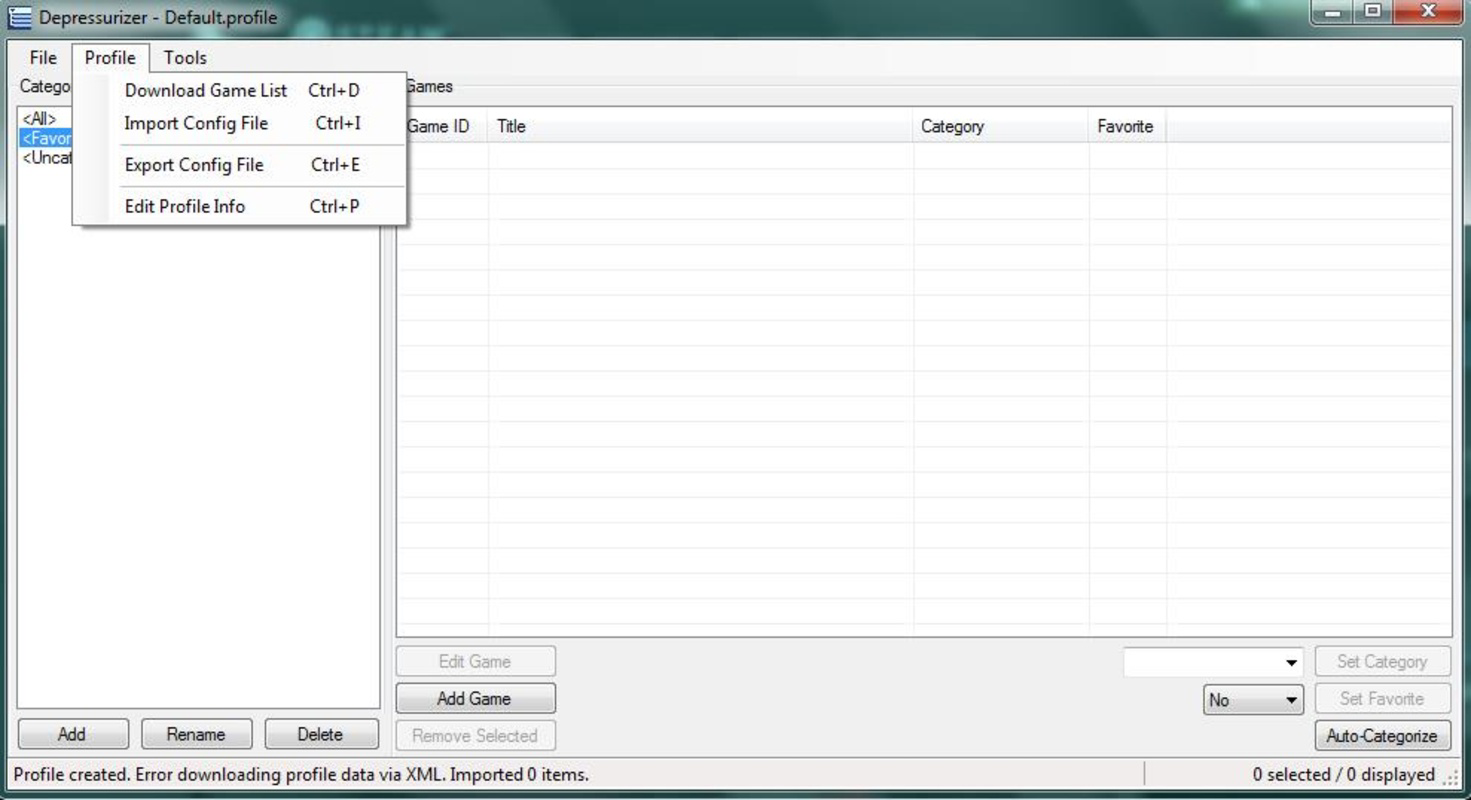
Depressurizer features a clean, minimalistic interface that prioritizes functionality over visual flair. The layout is organized around a central list of games, with category filters and sorting options accessible through clearly labeled menus. Navigation is intuitive, allowing users to switch between views, edit categories, and reassign games with just a few taps or clicks.
The visual style remains consistent with desktop application conventions, using simple icons and text-based navigation to maintain clarity. While the app does not include animations or dynamic transitions, this design choice contributes to its lightweight performance and fast responsiveness. Users report smooth interactions across various device types, including smartphones and tablets.
Although the developer did not list formal performance metrics, the app demonstrates stable behavior during typical use. It loads game libraries quickly and maintains responsiveness even with large collections. The lack of background processes or resource-heavy features ensures minimal impact on battery life and system performance. Compatibility across different screen sizes and orientations appears to be well-handled, though specific requirements were not disclosed.
Platform Compatibility & Technical Requirements
Depressurizer is available for Android and iOS platforms, supporting both major mobile operating systems. The app is designed to run on modern devices with sufficient storage and processing power to handle library management tasks. The current version is 2014-03-25, though this date likely reflects the initial release rather than the latest update.
The file size is not specified, but based on its lightweight nature and lack of multimedia assets, it is expected to be under 50 MB. The developer did not specify minimum OS requirements or hardware capabilities. Users are advised to ensure their device meets general mobile app standards for running background services and accessing file systems.
Pros and Cons
Pros
- Efficiently organizes large Steam game libraries for better accessibility
- Supports fully customizable categories to match personal preferences
- Simple setup with direct Steam folder integration
- Lightweight and responsive, with minimal system impact
- Intuitive interface suitable for users of all technical skill levels
Cons
- No official update history or version tracking provided
- Developer did not disclose minimum OS or device requirements
- Limited to Steam library management, with no cross-platform sync
- Relies on local file access, which may require user permission
- No built-in search or filtering beyond categories
FAQ
Is Depressurizer safe to use with my Steam account?
Yes, Depressurizer does not require login credentials or API keys. It accesses your Steam library through local folder paths and SteamID, minimizing security risks.
Can I use Depressurizer on both Android and iOS?
Yes, the app is available on both Android and iOS platforms, though compatibility details were not fully disclosed by the developer.
Does Depressurizer sync my game data across devices?
There is no indication of cloud sync or cross-device data sharing. All organization data is stored locally on the device where the app is installed.
How do I connect my Steam library to Depressurizer?
You need to input the location of your Steam installation folder and your SteamID. This information allows the app to read your game list directly from your local system.
Is Depressurizer free to download and use?
While the price was not specified, the app is widely available as a free tool. Users should verify the current pricing model in their respective app stores.
Final Thoughts
Depressurizer stands out as a focused, no-frills solution for Steam users overwhelmed by their growing game libraries. Its ability to provide deep customization without complexity makes it a valuable tool for anyone seeking better control over their gaming experience. While it lacks modern features like cloud sync or automated recommendations, its simplicity and reliability remain its greatest strengths.
Users who prioritize organization, personalization, and direct access to their Steam collection will find the most value in this app. It’s particularly well-suited for long-time Steam users with extensive libraries who want to rediscover old games or streamline their play sessions.
Download Depressurizer now
Guides & Tutorials
How to install Depressurizer
- Click the Download button above.
- Once redirected, accept the terms and click Install.
- Wait for the Depressurizer download to finish on your device.
How to use Depressurizer
This software is primarily used for its core features described above. Open the app after installation to explore its capabilities.
User Reviews
No reviews yet. Be the first to share your experience.
You may also like
more
Que no te pillen¡
About !Que no te pillen¡Reviewed by Jason A. BilbreyShow MoreShow Less

3D Combat Zone
About 3D Combat ZoneOriginally released in 1983, 3D Combat Zone immerses players...

666: El día del portal
About 666: El día del portalOn June 6, 2006, Agent P. Stone uncovers a sinister...

80 in 1 Best Flash games
About 80 in 1 Best Flash games 80 in 1 Best Flash games is a collection of 80 fl...

ABYSS SEEKERーーWhat Do You See Deep in The Abyss
About ABYSS SEEKERーーWhat Do You See Deep in The AbyssIn ABYSS SEEKER, players...

ACA NEOGEO THE KING OF FIGHTERS 2002 for Windows
About ACA NEOGEO THE KING OF FIGHTERS 2002 for WindowsTHE KING OF FIGHTERS 2002,...